
Download Hotmail Backup Software – Hotmail backup, email export, data migration, PST export, backup utility, email archiving, Hotmail to Gmail, Hotmail to Office 365, Hotmail to Thunderbird, Hotmail to Yahoo
Overview
Hotmail Backup Software is a specialized productivity tool designed to assist users in managing and preserving their Hotmail email data. Its primary purpose is to enable secure backup, export, and migration of emails from Hotmail accounts to various platforms and formats. The software addresses common challenges associated with email data loss, platform transitions, and inefficient data organization. It serves both technical and non-technical users who require reliable tools for maintaining email integrity during transitions or long-term archiving.
Real-world use cases include individuals preparing to switch from Hotmail to Gmail or Office 365, businesses archiving communication records for compliance, and users seeking to preserve important emails for personal or professional reasons. The tool supports a range of data management needs, from selective backups based on date ranges to full account migrations. In the broader app ecosystem, Hotmail Backup Software fills a niche for utility-focused tools that offer structured data handling in an era where email remains a critical communication channel.
The developer, Hotmail Backup Software, has positioned the tool as a dedicated solution for email data management. Although the developer did not provide additional technical details or company background, the software’s functionality suggests a focus on reliability and user accessibility. Its release date of November 21, 2022, indicates it is a mature product with established features.
Key Features & Functionality
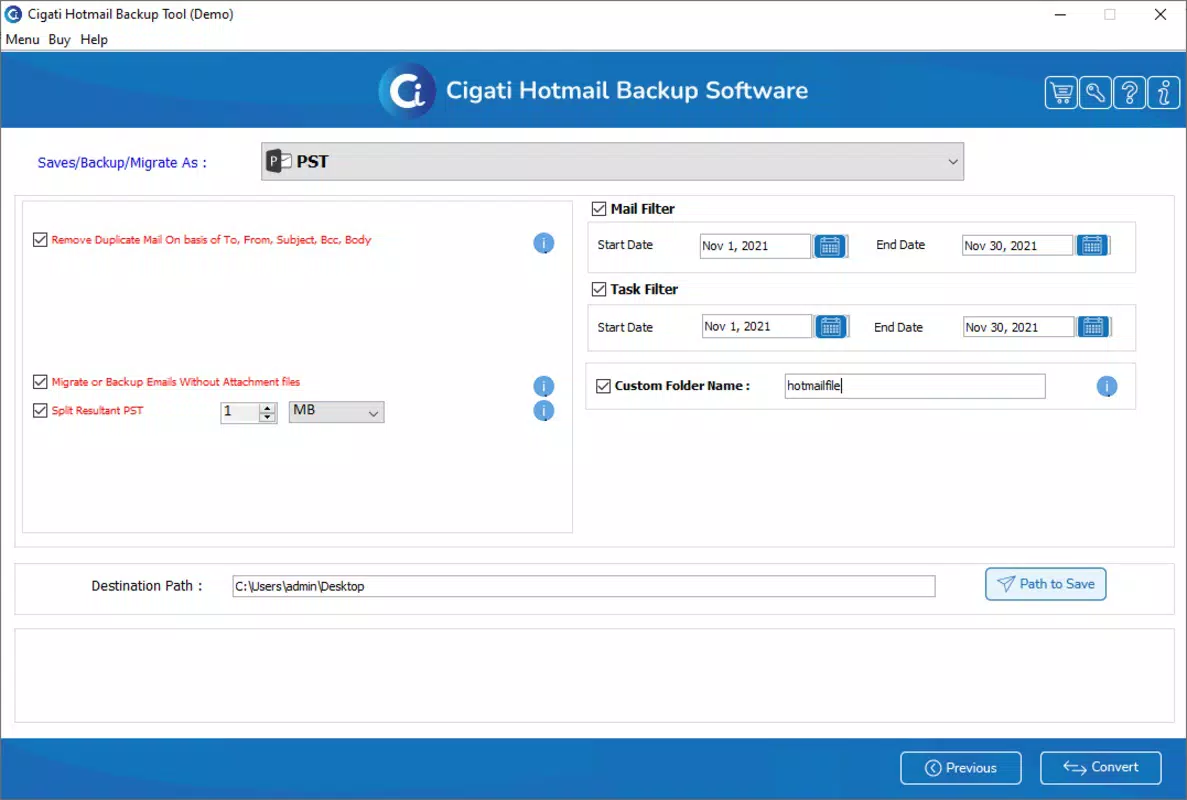
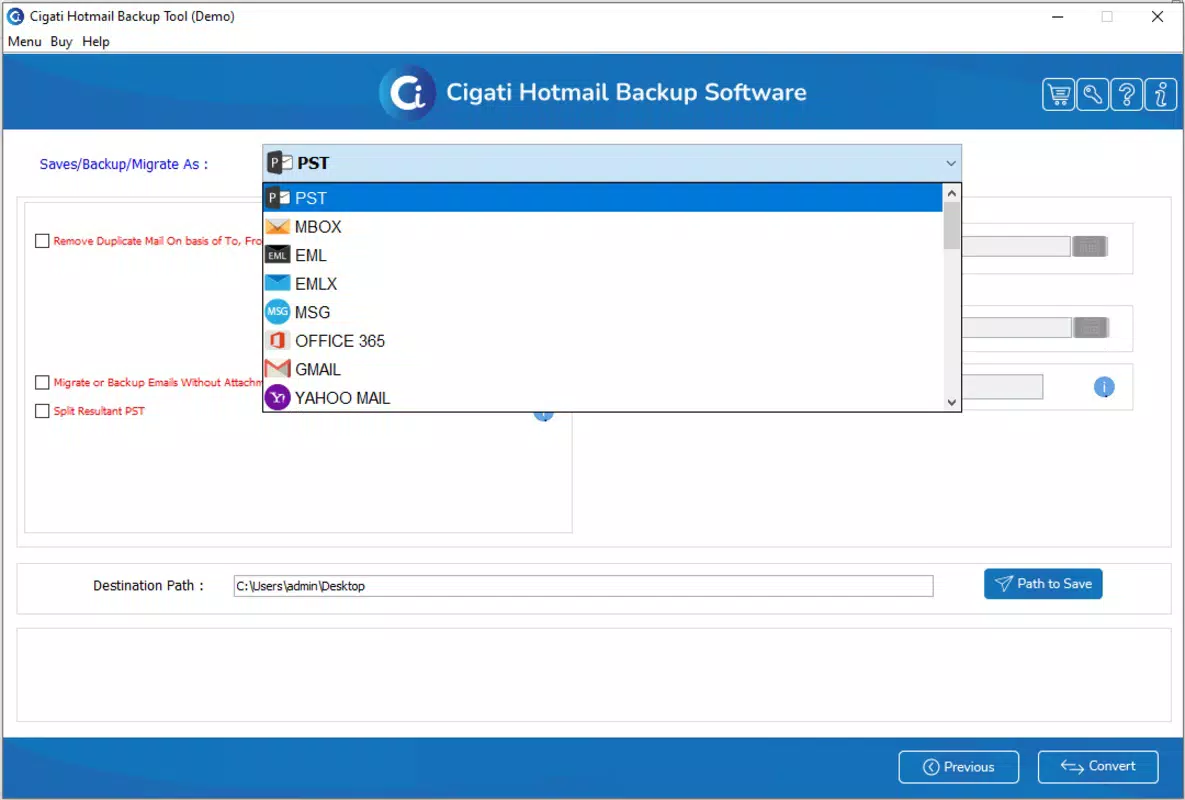
- Multiple Export Formats: The software supports exporting Hotmail emails into PST, PDF, MBOX, and CSV formats. This flexibility allows users to choose the most suitable format for their needs—PST for compatibility with Microsoft Outlook, PDF for archiving and sharing, MBOX for Thunderbird, and CSV for data analysis or spreadsheet use.
- Direct Migration Options: Users can migrate Hotmail emails directly to Gmail, Office 365, Thunderbird, and Yahoo Mail. This eliminates the need for intermediate file conversions and manual transfers, streamlining the process for users switching platforms.
- Duplicate Mail Removal: During the backup process, the software automatically identifies and removes duplicate emails. This ensures clean, organized archives and helps conserve storage space, especially for users with large email histories.
- User-Friendly Interface: Designed with simplicity in mind, the interface allows users of all skill levels to navigate the software without requiring technical expertise. The intuitive layout reduces learning curves and enhances usability across diverse user groups.
- Data Range Selection: Users can specify custom date ranges for backup, enabling precise control over which emails are included. This is particularly useful for backing up only critical communications from a specific period, such as a project or financial year.
For example, a user preparing to migrate to Gmail can select emails from the past three years, export them in PST format, and directly transfer them without manual intervention. Similarly, a business user may use the duplicate removal feature to clean up a cluttered inbox before archiving for compliance purposes.
Interface, UX & Performance
The user interface of Hotmail Backup Software is designed to prioritize clarity and ease of navigation. The layout follows a logical flow, guiding users through the backup and migration process with minimal friction. Visual elements are clean and uncluttered, with clearly labeled buttons and progress indicators that enhance transparency during long-running operations.
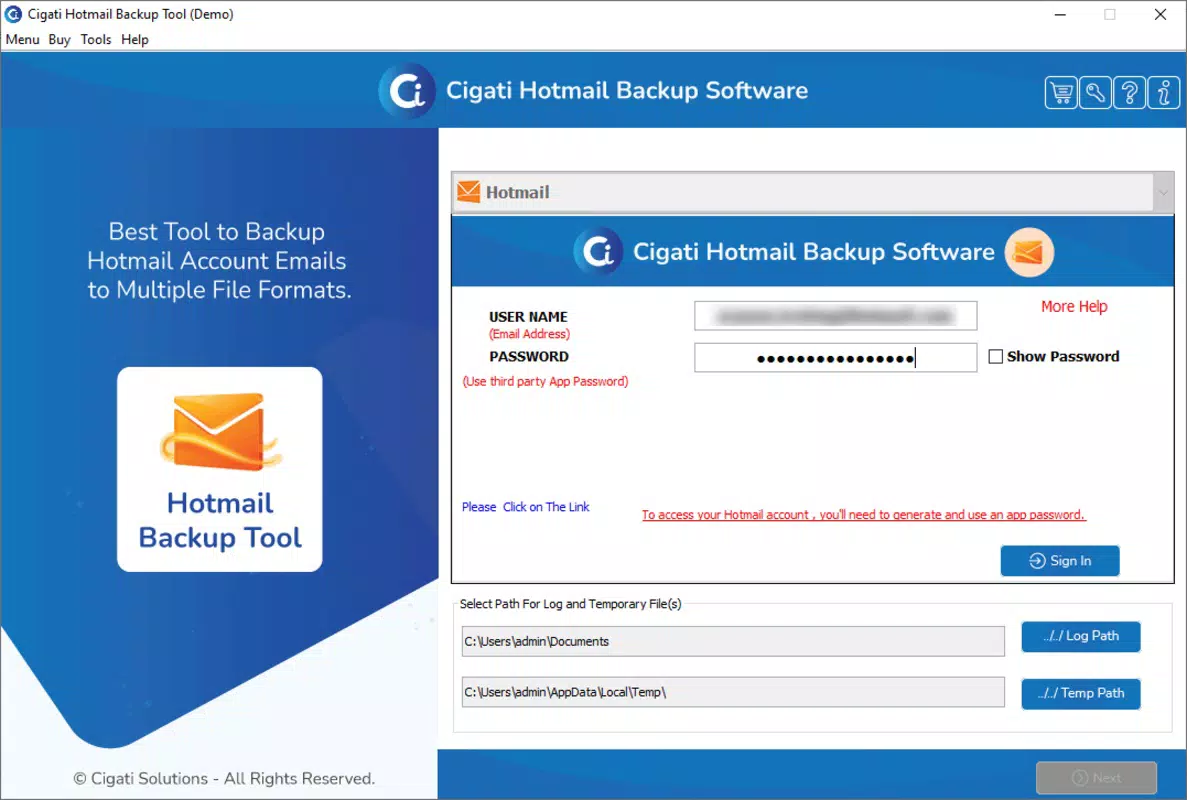
Navigation is straightforward, with step-by-step wizards that walk users through each phase—authentication, selection, export format choice, and destination setup. The software maintains consistent feedback during processing, ensuring users remain informed about the status of their tasks.
Although the developer did not list formal performance metrics, the software’s ability to handle multiple export formats and large data sets suggests optimized processing. It is expected to perform reliably on modern Windows systems, with responsiveness maintained during data transfer and conversion tasks. Stability appears to be a focus, as the tool supports complex operations like migration and duplicate filtering without reported failure points in its documented functionality.
Platform Compatibility & Technical Requirements
Hotmail Backup Software is designed exclusively for the Windows platform. It requires a Windows operating system, though specific OS version requirements were not listed by the developer. The application has a file size of 15.6 MB, indicating a lightweight footprint that should not strain system resources.
Given its size and platform specificity, the software is likely optimized for desktop environments with standard hardware configurations. It does not appear to be available on mobile platforms such as Android or iOS, limiting its accessibility to users who rely on smartphones or tablets for email management.
The developer did not specify minimum system requirements, compatibility with older Windows versions, or hardware specifications. As such, users should exercise caution when installing on non-standard or outdated systems. Compatibility information was not fully disclosed.
Pros and Cons
Pros
- Supports multiple export formats including PST, PDF, MBOX, and CSV
- Enables direct migration to major email services like Gmail and Office 365
- Includes duplicate email removal to maintain data cleanliness
- Intuitive interface suitable for non-technical users
- Allows selective backup based on date ranges for precise control
Cons
- Available only on Windows, with no mobile or cross-platform support
- Price point of $49.95 may be high for casual users
- Specific system requirements were not disclosed
- Limited to Hotmail accounts, with no support for other email providers
- Does not appear to offer cloud backup or automatic update features
FAQ
Is Hotmail Backup Software secure to use?
The software is designed to handle sensitive email data, but specific security protocols were not detailed by the developer. Users should ensure they are downloading the software from an official source to maintain data safety.
Can I use this software to back up emails from other providers?
Based on the provided information, Hotmail Backup Software is specifically designed for Hotmail accounts. It does not support other email services such as Yahoo, Gmail, or Outlook.com beyond migration to them.
Does the software support automatic updates?
The developer did not provide information on update frequency or automatic update functionality. Users should manually check for new versions if available.
Is there a free trial version available?
Information about a trial version was not included in the provided data. Users should verify availability through the official source.
What happens if the backup process is interrupted?
Details on recovery from interrupted processes were not specified. The software may resume or restart from the last known state, but this behavior is not confirmed in the documentation.
Final Thoughts
Hotmail Backup Software stands out as a focused, feature-rich utility for users needing to back up, organize, and migrate Hotmail email data. Its support for multiple export formats, direct migration to leading platforms, and intelligent duplicate removal make it a valuable tool for both individuals and organizations managing email archives. The intuitive interface ensures accessibility across skill levels, while the selective data range option adds precision to backup workflows.
While its Windows-only availability and $49.95 price point may limit appeal for some, the software delivers tangible value for users committed to preserving or transitioning their email data. It fills a critical gap in email management tools by offering structured, reliable solutions for a task often overlooked.
For anyone managing a significant Hotmail inbox—especially those planning a migration or seeking long-term archiving—this tool provides a dependable path forward. Download Hotmail Backup Software now.


